Most free strategy games don’t run well on modern systems—they stutter, crash, or look dated. But Windows 11’s improved DirectX 12 support, WDDM 2.7 graphics architecture, and better background process management mean a new wave of free strategy titles now run smoother than ever. The real challenge isn’t finding games; it’s filtering out the shovelware and spotting the ones that offer actual depth, replayability, and clean performance.
Below are the best free strategy games currently compatible with Windows 11, tested on both Intel and AMD platforms. These aren’t just abandonware ports or ad-riddled mobile ports—they’re full-featured, regularly updated, and designed to leverage modern hardware.
---
Why Free Strategy Games Work Better on Windows 11
Windows 11 isn’t just about rounded corners. Its underlying optimizations make a tangible difference in how strategy games perform, especially during late-game chaos. The OS prioritizes GPU compute tasks more efficiently, reducing stutter when managing large armies or complex AI turns. Auto-HDR and DirectStorage (on supported hardware) enhance visual clarity, making it easier to track unit movements and terrain details.
More importantly, Windows 11’s built-in support for Xbox Game Bar and Game Mode helps stabilize frame rates during intense sessions. Strategy games often run in windowed or borderless modes, and the OS handles these transitions cleanly—no more minimizing to check an email and returning to a frozen battlefield.
Still, not all “free” games are created equal. Watch out for: - Hidden paywalls that lock core mechanics behind microtransactions - Poor mod support or outdated engines - Bloat from bundled third-party launchers
The best free strategy games avoid these traps while delivering genuine strategic depth.
---
Top 7 Free Strategy Games for Windows 11
These titles were selected based on gameplay depth, performance stability, update frequency, and community activity. All are free to download, free to play, and fully compatible with Windows 11’s security and hardware requirements.
1. War Thunder Real-time combined arms warfare with deep vehicle customization
War Thunder isn’t just a combat sim—it’s a full-scale tactical strategy game disguised as an action title. You command tanks, planes, and naval units across realistic battlefields with physics-based damage modeling. The real strategy comes in choosing loadouts, coordinating team composition, and managing resource points in real time.
- Engine: Proprietary (Lagoona)
- Offline Mode: Limited (requires online for progression)
- Why It Works on Win11: Native DirectX 12 support, excellent SSD loading times via DirectStorage
- Tip: Use Game Mode to prevent background apps from spiking CPU usage during air battles
While technically a military sim, the planning phase alone—scouting spawn points, analyzing map control, assigning roles—makes it a standout strategy experience.
---
2. Zero-K *Open-source RTS with
AI-driven complexity and Lua scripting*
Zero-K is the gold standard for free, open-source strategy games. Built on the Spring Engine, it offers full air, land, and sea warfare with advanced physics and destructible terrain. Unlike most RTS titles, units don’t follow rigid rock-paper-scissors balance—instead, positioning, terrain use, and micro-management decide outcomes.
Key features: - Fully customizable AI with adjustable aggression and economy focus - Lua-based modding for custom units and scenarios - Sync replays for post-game analysis
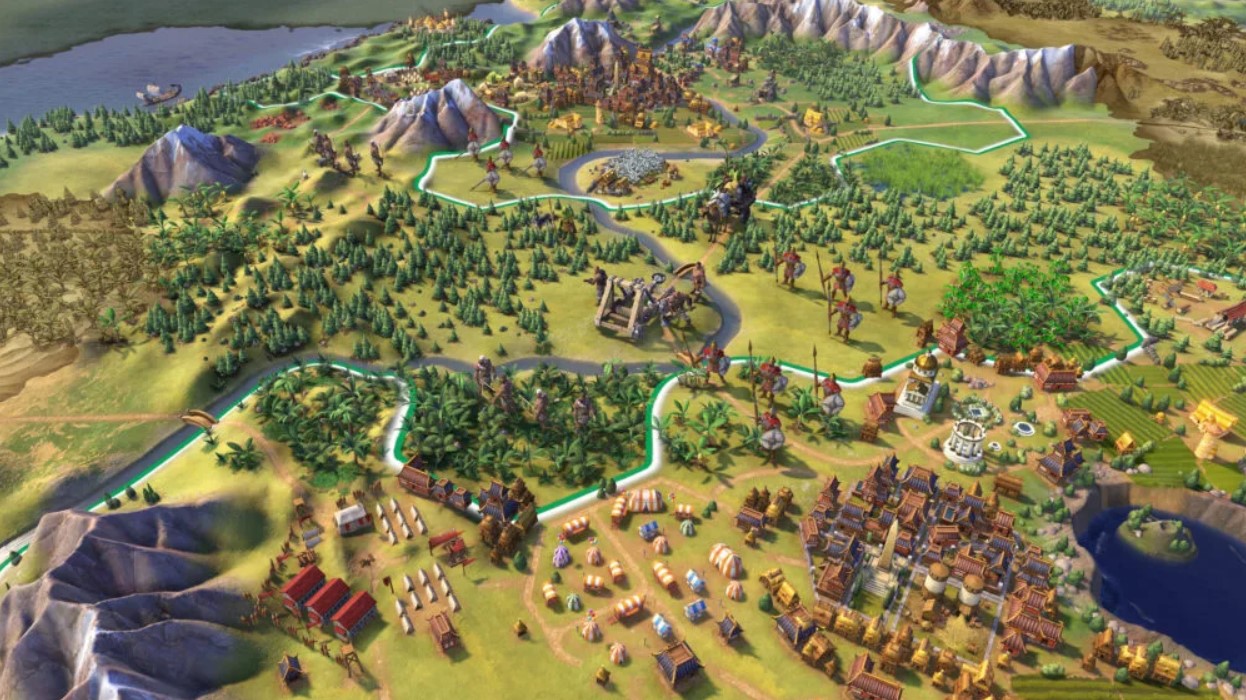
Zero-K runs flawlessly on Windows 11 thanks to its lightweight engine and community-driven optimizations. It’s also one of the few free strategy games that supports ultrawide monitors and high-refresh displays without issues.
---
3. The Battle for Wesnoth Classic turn-based tactics with fantasy lore and mod support
If you miss the days of Heroes of Might and Magic or Advance Wars, Wesnoth delivers. It’s a turn-based strategy game with grid-based movement, terrain bonuses, and unit promotion trees. The campaign mode spans multiple storylines, each with unique factions and victory conditions.
- Graphics: 2D sprite-based (deliberately retro)
- Offline Play: Full support
- Mod-Friendly: Over 200 user-created campaigns on the official server
Wesnoth compiles natively for Windows 11 and benefits from the OS’s improved memory management. It’s also exceptionally light—runs smoothly on laptops with integrated graphics.
Common Mistake: New players often overcommit to offensive units early. The game rewards defensive positioning and terrain control. Use forests and hills to amplify unit defense.
---
4. Star Conflict *Space-based
RTS with persistent progression and squadron play*
Star Conflict blends space combat with fleet coordination and economic strategy. You pilot fighters, frigates, or capital ships in 32v32 battles, but the real game happens between missions—researching tech trees, managing squadron resources, and planning fleet compositions.
- Platform: Standalone client (no Steam required)
- Graphics: High-fidelity models with scalable settings
- Win11 Edge: Runs well under Game Pass for PC (cloud option available)
The game’s structure—short 15-minute battles with long-term strategic planning—makes it ideal for players with limited time. Unlike many free-to-play titles, premium currency can’t buy overpowered ships. It only speeds up research, keeping the balance fair.
---
5. Freeciv Open-source Civilization clone with deep diplomacy and sandbox play
Freeciv is the closest thing to Civilization V without paying a cent. Build cities, research technologies, negotiate treaties, and wage war across eras—from ancient to futuristic. The game supports up to 127 players in multiplayer, though most matches cap at 8 for balance.
- Interface: Web-based or desktop client
- Custom Rulesets: Create your own victory conditions, tech trees, and unit stats
- AI Difficulty: Adjustable from passive to aggressive expansionist
On Windows 11, the web client benefits from Edge’s improved JavaScript performance, while the native .exe version runs efficiently in the background. For serious players, pairing it with a mod like “Classic Rules” restores the old-school 4X feel.
---
6. Legends of War: Crosswind *Turn-based tactical
RPG with squad customization*
Originally a mobile title, Crosswind was re-released as a free PC port with full mouse and keyboard support. You control a squad of mercenaries across a war-torn continent, making tactical decisions in battle and strategic choices between missions.
- Genre: Hybrid tactical RPG + strategy
- Offline Mode: Fully supported
- Save System: Frequent autosaves with manual slots
The game shines in its mission design—objectives vary from sabotage to hostage extraction, forcing players to adapt loadouts and formations. While not as deep as XCOM, it’s far more accessible and doesn’t lock content behind paywalls.
---
7. **Supreme Ruler: Cold War (Free
Version)* Geopolitical simulation with real-time decision-making*

This is the only free grand strategy title that simulates full nation management in real time. Control a country during the Cold War era—manage economy, military, diplomacy, and internal politics. The free version includes one scenario and limited nations, but it’s enough to grasp the depth.
- Time Scale: Real-time with pause
- Complexity: High (steep learning curve)
- Ideal For: Players who enjoy Hearts of Iron or Crusader Kings
Runs smoothly on Windows 11 with background process optimization. Disable unnecessary startup apps—this game benefits from dedicated CPU cores for AI processing.
---
How to Optimize Free Strategy Games on Windows 11
Even the best games can underperform without proper setup. Follow these steps:
- Enable Game Mode
- Go to Settings > Gaming > Game Mode and turn it on. This prioritizes system resources for active games.
- Update GPU Drivers
- Use NVIDIA GeForce Experience, AMD Adrenalin, or Intel Arc Control to ensure you’re on the latest WHQL-certified drivers.
- Adjust Power Plan
- Switch to “High Performance” in Control Panel > Power Options. Laptops should be plugged in during extended sessions.
- Disable Fullscreen Optimizations
- Right-click the game’s .exe > Properties > Compatibility > Disable fullscreen optimizations. Reduces input lag in borderless mode.
- Use Xbox Game Bar for Monitoring
- Press Win+G to enable performance widgets (FPS, CPU, RAM). Useful for spotting memory leaks in older engines.
---
Watch Out for These “Free” Traps
Not every title labeled “free” is worth your time. Avoid:
- Games that lock victory conditions behind paywalls (e.g., can’t win without buying “elite” units)
- Excessive ads that interrupt gameplay (especially mid-turn in strategy titles)
- Abandoned titles with no updates since 2018 (security risks on modern Windows)
Stick to games with active Discord servers, recent patch notes, and mod support. Community engagement is a strong indicator of longevity.
---
Final Verdict: Best Overall Free Strategy Game
For sheer depth and long-term engagement, Zero-K stands out. It’s not just free—it’s open-source, moddable, and designed for competitive play. The learning curve is steeper than most, but Windows 11’s performance advantages make high-unit-count battles smoother than on older systems.
If you prefer turn-based play, The Battle for Wesnoth is the smarter pick. It runs offline, supports modding, and has no hidden costs.
For real-time action with strategic layering, War Thunder offers the most polished experience—just be prepared for a steep onboarding process.
---
FAQs
Are these free strategy games safe to download on Windows 11? Yes—all listed games are available from official sources (developers’ websites, Steam, or Microsoft Store) and are digitally signed.
Do any of these require a subscription? No. None require subscriptions. Some offer optional cosmetic purchases, but none affect gameplay balance.
Can I play these offline? Wesnoth, Freeciv, and Legends of War support full offline play. War Thunder and Star Conflict require online connections.
Are mods allowed in these games? Yes—Zero-K, Wesnoth, and Freeciv have active modding communities. Always scan mod files with Windows Defender before installing.
Will these run on low-end PCs? Most will. Wesnoth and Freeciv run on systems with 4GB RAM and integrated graphics. Zero-K and War Thunder need at least 8GB and a dedicated GPU.
Are there multiplayer options? All titles support multiplayer except the free version of Supreme Ruler. Zero-K and Freeciv have the most active online communities.
Do these games work with Game Pass? Star Conflict and War Thunder are available via PC Game Pass. Others are standalone downloads.